
External Study Credit Granting with Labvanced
While these instructions refer to “credit granting”, they work for both credit and paid studies. For paid studies, participation will be marked (instead of credit granted) just like with any other paid study.
Here are the basic steps, which are subject to change (since the product is controlled by Scicovery GmbH):
Step 1: Publish your Study
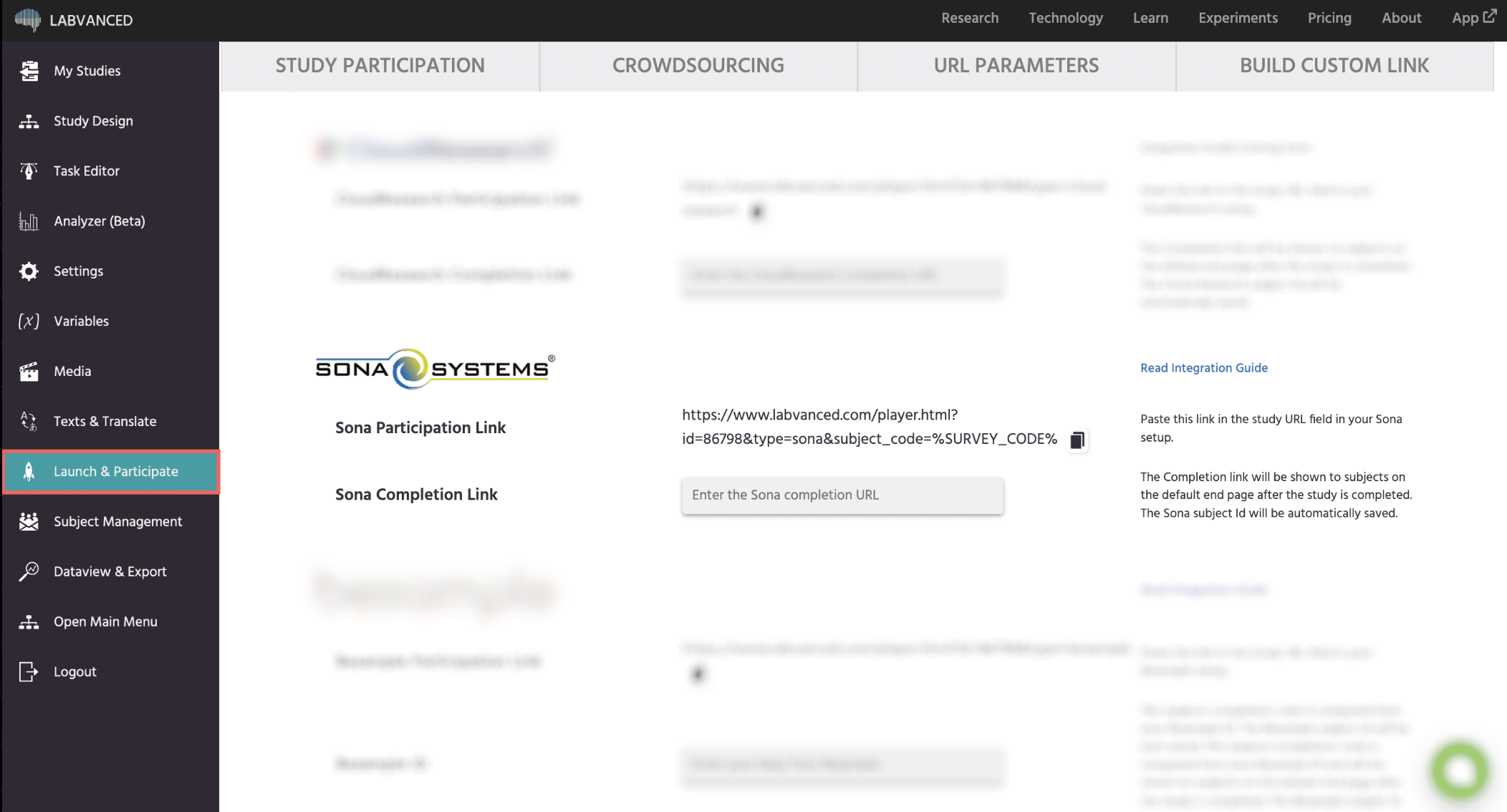
First, login to Labvanced at https://www.labvanced.com/page/loginPage and publish your study. Then, open the Launch & Participate tab and select the Crowdsourcing tab:
Step 2: Get the Sona Participation Link
Go to the Sona Systems section and locate the Sona Participation Link:

Click the copy icon to copy this link to your clipboard.
Step 3: Paste the URL in Sona
Access your study in Sona Systems and go to the Change Study Information Page. Scroll down to the Study URL field, then paste the URL you just copied into this field:
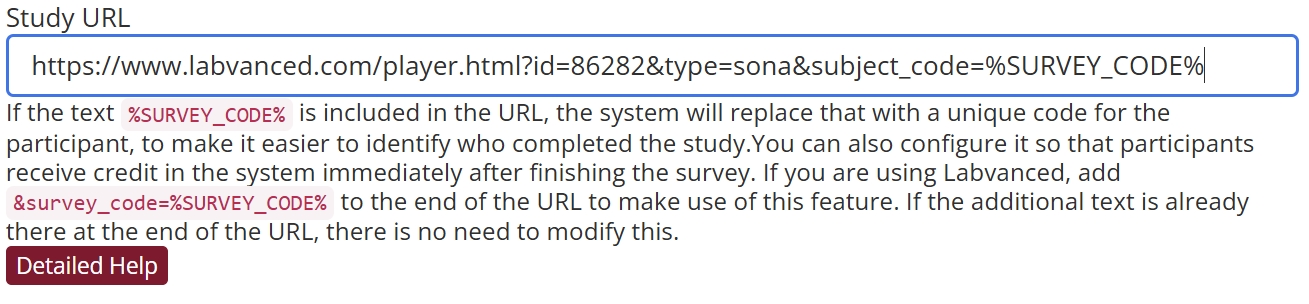
Please make sure the link ends with &type=sona&subject_code=%SURVEY_CODE%.
Make sure to save changes before exiting this page.
Step 4: Get the Completion Code from Sona
From your study’s main page in Sona, locate the Completion URL for you study. Then copy the URL to your clipboard:
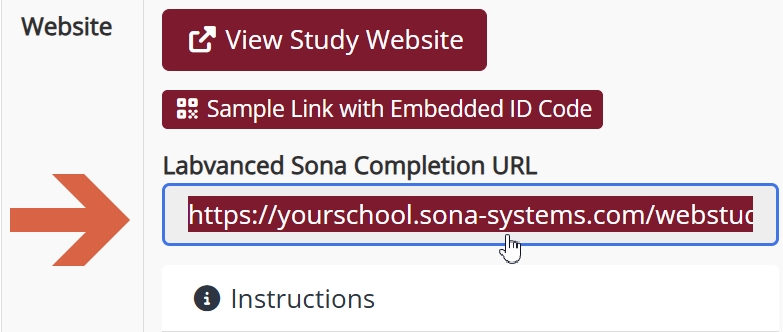
The URL should look similar to this:
-
https://yourschool.sona-systems.com/webstudy_credit.aspx?experiment_id=123&credit_token=hq8dhd2
Step 5: Paste the Completion URL in Labvanced
Return to your study in Labvanced. If you closed it earlier, then reopen the Launch & Participate tab and select the Crowdsourcing tab. In the Sona Systems section, this time go to the Sona Completion Link field and paste the Completion URL you copied from Sona:

Finally, save the changes.
That’s it! Participants can click on this link at the end of the study and it will return them to Sona, automatically granting credit (or marking participation.)
For more information about behavioral research study building with Labvanced, refer to the documentation.
Tip: Test your Study
Before you have participants complete your study, make sure to test it first. In particular, make sure that participants can return to Sona using the correctly configured completion link. When testing your study, you should see a final confirmation message with a link back to Sona:
