

To those unfamiliar with the term “email bounce”, it may sound as if it were something fun (perhaps bringing to mind fond images of inflatable castles or floor-sized trampolines). It is not. To make matters worse, Sona will not be offering bouncy castles or any other such amusements at this time.
Instead, we have a great feature to help Sona administrators and their institutions deal with email-related problems known as “email bounces”. Put simply, an email bounce is an email that the recipient didn’t receive, and was instead “bounced” back to the sender.
Email bounces can happen in multiple ways for more than one reason, which is why Sona’s email bounce handling feature has two settings : Email Rejection Handling and Email Notification Handling.
There are options for each setting, which naturally raises the question “why two settings?” This is a great question, and a good place to start getting into the details.
A Tale of Two Settings
The reason Sona has two different settings is because there are two different types of email bounce: “soft” email bounces and “hard” email bounces. This is not, perhaps, the most creative nomenclature in history, but it does explain why we have two settings, each with its own options:

To make things easier, we’ll start by explaining both settings independently, starting with Email Rejection Handling.
Email Rejection Handling
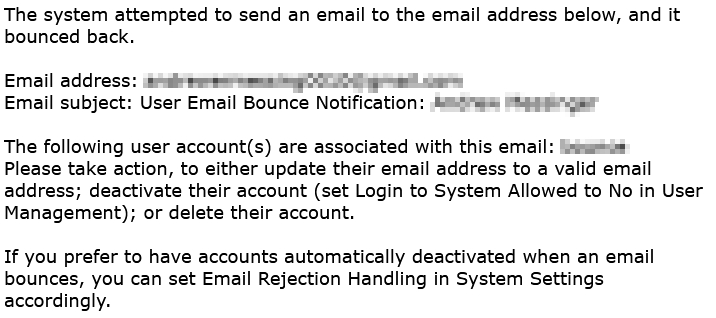
This setting, as opposed to the one we’ll go over next, is for handling more serious problems that can cause email bounces (hence the adjective “hard” for this type of bounce). A good example to have in mind is an invalid email account. The options for Email Rejection Handling determine how the system handles “hard” email bounces.
We still haven’t really explained what makes an email bounce a “hard” bounce, however. To better understand hard email bounces, it’s useful to think about a specific page on a particular website. The actual website doesn’t matter, so let’s make one up for this example.
Let’s say you often visit a site called www.popularsite.com. One day, you click on a link to a page on this site: www.popularsite.com/yourpages/visit_this_page.html.
Instead of the page you expect to find, however, you see an error message from the site informing you the page can’t be located:
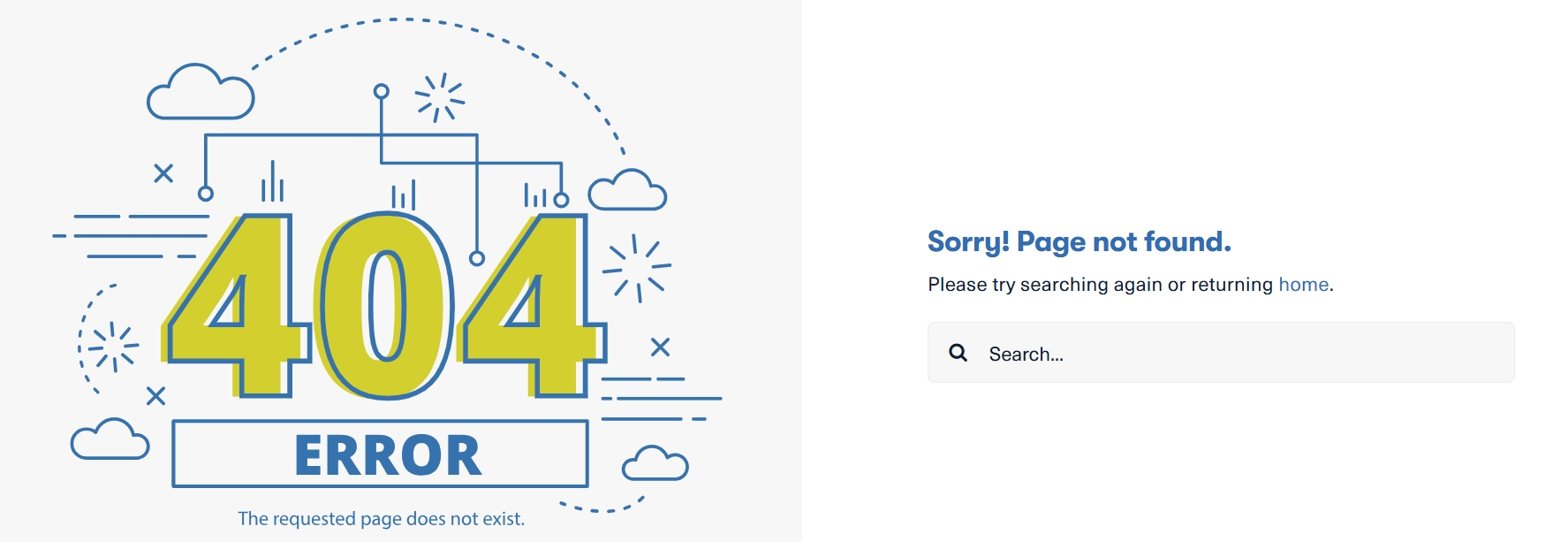
This is similar to a hard email bounce. With emails, however, instead of the server notifying you that the page doesn’t exist, the email server indicates that the account doesn’t exist or can’t be accessed by the server. The email is bounced back to the sender because the email server couldn’t deliver the email to the address you specified.
The options for Email Rejection Handling are for email bounces of this type. Of course, all email bounces involve an email bouncing back due to a delivery failure. This raises the question: What’s a “soft bounce”, and what makes it different?
Email Rejection Notification
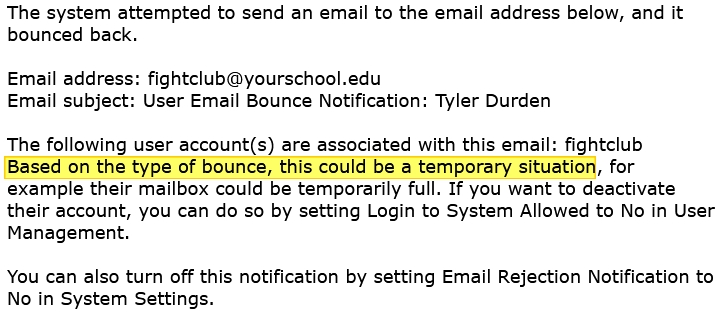
For this setting, the takeaway word is “temporary”. This setting determines how your system handles “soft bounces”, which often involve issues that may be resolved on their own.
We can use our earlier analogy with the website to better understand this type of email bounce without having to get into too many technicalities. Let’s again imagine you’re visiting one of your favorite websites, popularsite.com. As before, you click on a link to visit a certain page on that website. Also as before, it doesn’t work.
This time, however, you do not receive a message letting you know that the page doesn’t exist or couldn’t be found. Instead, you get a network error message letting you know the site can’t be reached or that the connection timed out. In simpler terms, you couldn’t connect to the network hosting the webpage.
This may sound like a more serious problem, but if you’ve encountered this error before you’ll probably know it’s usually very temporary. To “solve” the issue, you wait a bit, then click refresh.
Soft email bounces are similar to this type of issue. In fact, the same issue that can cause a site to fail to load can also cause an email delivery failure. Too much traffic or activity can cause a server to fail temporarily. For a webpage, this means hitting refresh after a bit. For email, it means resending after a bit.
The key point is that “soft bounces” are generally temporary issues caused by the network hosting the email domain, and will likely resolve themselves.
Other common causes of soft bounces include:
- An email account that can’t receive new messages due to capacity limitations (e.g., an inbox that is too full).
- The recipient has blocked the sender
Towards a Unified Approach: One Tale for Two Settings
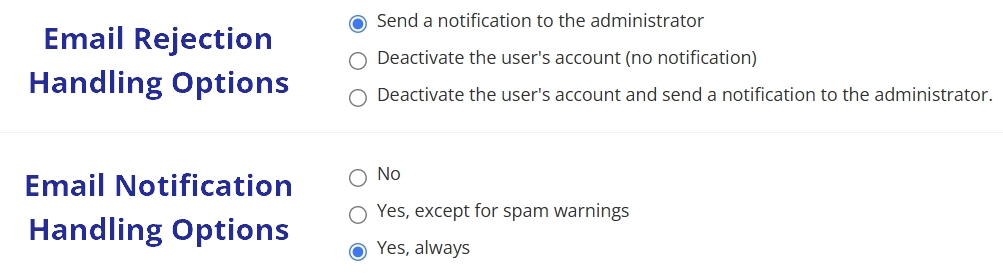
As we’ve now seen, there are two settings for the two types of email bounces. But why not provide all the options under one setting? It comes down to providing you with optimal solutions for your site.
A single setting would mean that any option picked would apply to all email bounces. It would mean that your system treats a problem that will resolve in a minute or two the same way it does an email account that no longer exists.
We want you to have more and better options than that. Providing you with two sets of options allows you to treat the different types of email bounces in an optimal manner for your site. If it turns out that your site rarely has issues with soft bounces, then you can switch off notifications entirely by selecting no. If you prefer greater caution when an email account can’t be “located” by the network server hosting, you can be notified AND automatically make the account inactive. Also, because these are handled by two different settings, you can do both at once.
This last point is worth expanding on a bit. These two settings deal with mutually exclusive problems. So, for example, if you set Email Rejection Notification to “No” (effectively turning off the notifications for this setting), any bounce notification you receive would have to be from Email Rejection Handling. This means you don’t have to worry about an option from one setting somehow “interfering” with an option from the other setting.
More than Meets the Eye: What Bounce Handling Can Do for You
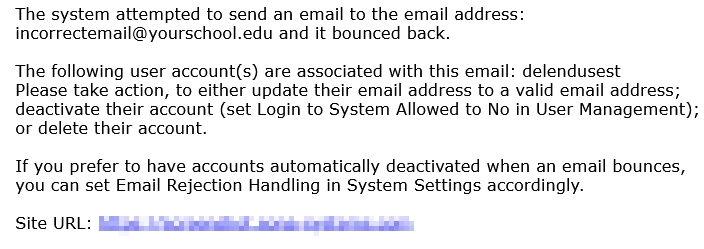
Email Rejection Handling and Email Rejection Notification both offer automatic problem detection and resolution to a variety of problems. Too easily and too often, these issues could have gone unnoticed for far too long. Not anymore.
Many of the benefits provided by Sona’s email bounce handling relate to very integral roles both automatic and user-generated emails play in everything from user account creation to ensuring participants can reach out to researchers (and vice versa!).
The following list is by no means exhaustive, but it does provide a look at some of the ways Email Rejection Handling and Email Rejection Notification can ensure your site, your users, and your research all run more smoothly.
- Fraud/Error Tests for Participant Self-Created Accounts
- Validity Check and Error Check for single and batch account creation (all user types)
- Turn Weekly Study Announcement Notifications and other reminders into regular email account validity checks
- Auto-detect deleted/closed email accounts (this can be particularly useful to help with system maintenance, allowing you to better determine if a user is truly inactive)
- Make sure that, if users change the email address associated with their account, it’s a valid email address.
- Troubleshoot problems with notifications, accounts, etc., when they happen (rather than when or if they are brought to your attention).
Reviewing your Options
We’ve talked about what email bounces are, what Email Rejection Handling and Email Rejection Notification are, and what options each settings has. We haven’t really touched on what practical implications different choices have. Why prefer one option choice over another? In this final section, we’ll review these options a bit and what some of the implications are for particular choices.
The Dual Approach to Email Bounce Handling with Sona
The two kinds of email bounces (hard and soft) each have a corresponding email bounce handling setting in Sona. For hard bounces, there’s Email Rejection Handling. For soft bounces, it’s Email Rejection Notification.
We’ve also seen that there is no “disable” option for Email Rejection Handling. There’s a very practical reason for this, and it relates to the severity of a hard bounce email vs. a soft bounce.
A hard bounce indicates a problem with a user’s account that needs to be addressed. Put simply, some action (automatic deactivation, a notification sent to the administrator, or both) is required for exactly the same reason an email address is. A hard bounce is akin to a user failing to have an email address recognized by the email host server (and, in fact, may be equivalent).
For soft bounces, the option that works best for you may be…nothing. It could very well be that
- Emails sent from your site to email addresses rarely bounce
- The few soft bounces that occur are glitches that resolve themselves
Of course, if you never enable soft bounces, then it will be difficult if not impossible to get an idea of how often they occur and what actions (if any) are required to resolve the issues. So it may be a good idea to at least try one of the “Yes” options for a while and then select “No, never” if you find little use in the soft bounce notifications.
All that’s up to you. You know your site, and we know that you’ll to make the best decisions.